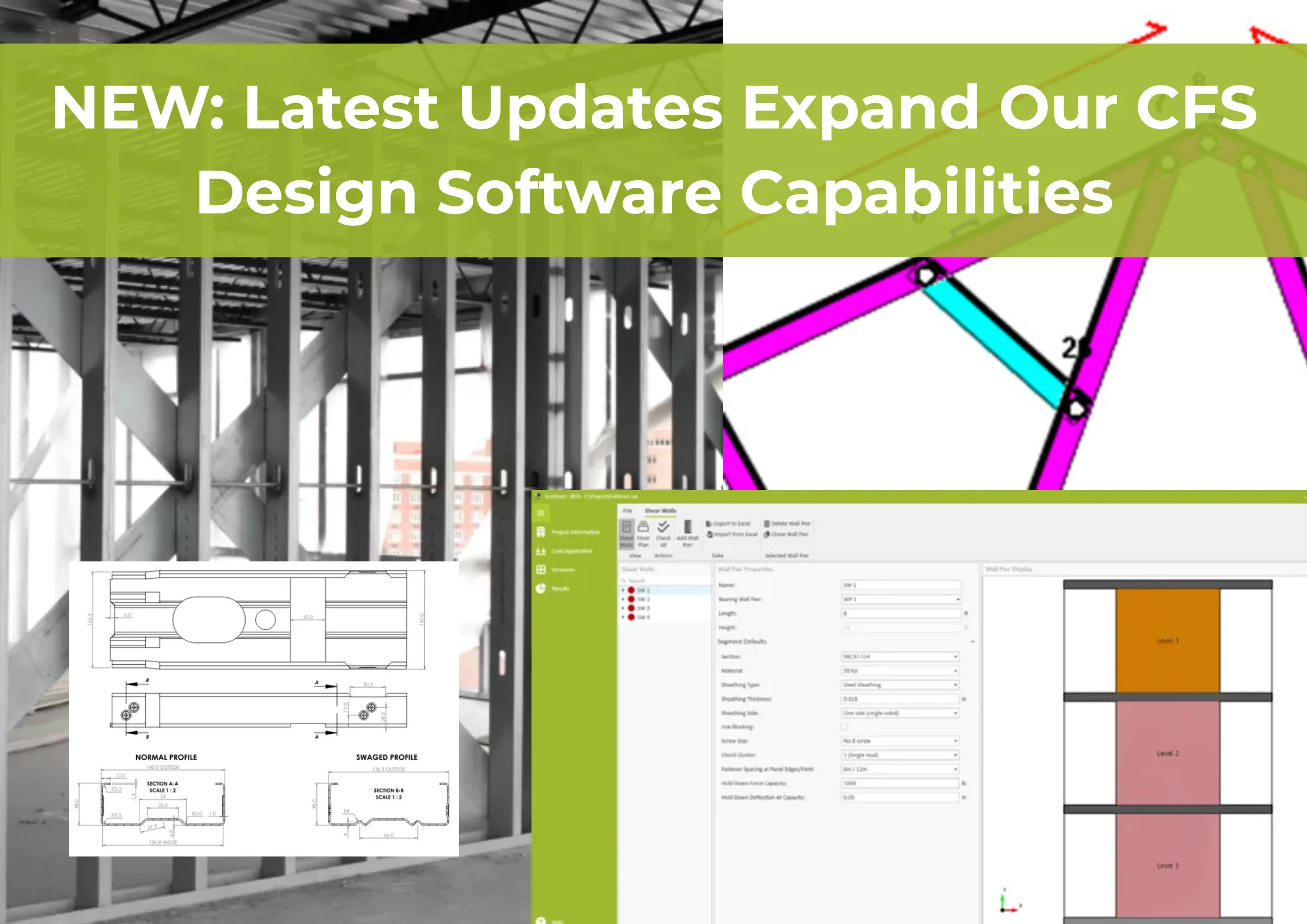
The March 2026 software update release from Scottsdale Construction Systems introduces major advancements across the company’s integrated suite of CFS design software: ScotSteel, ScotStruct, and ScotRF; strengthening workflows for steel design, steel framing, and advanced roll forming technology. This new release focuses on making complex engineering and production tasks easier to manage while continuing to expand the functionality available to designers, engineers, and manufacturers. From new U.S.-based shear wall engineering functionality to enhanced CFS truss detailing tools, unified production naming, and expanded machine support, the update reinforces Scottsdale’s commitment to delivering practical software innovation for the cold-formed steel industry. Additional focus areas, such as BIM integration software, structural engineering software, and production automation software, continue to improve how our users move from design to manufacturing with greater accuracy and efficiency.

Scottsdale Knowledge Base is a comprehensive repository of information, data, design aids, tools, expert advices, manuals, and many other resources on prefabricated steel framing.
Not only is it a powerful tool for any architect, engineer, contractor, framing shop, homebuilder, building material supplier, or anyone involved in cold-formed steel framing, it also enables seamless integration of Scottsdale’s industry-leading steel framing roll former equipment and technology into virtually any work flow. All licensed customers and ScotSteel subscribers receive complementary access to Knowledge Base. Become a member today of our ScotAI-assisted steel-framing information platform, and elevate your business!

Below you can find a summary of the top 6 functionalities added to the Scottsdale CFS software ecosystem:
Shear Wall Engineering Enhances Steel Design for U.S. Designers
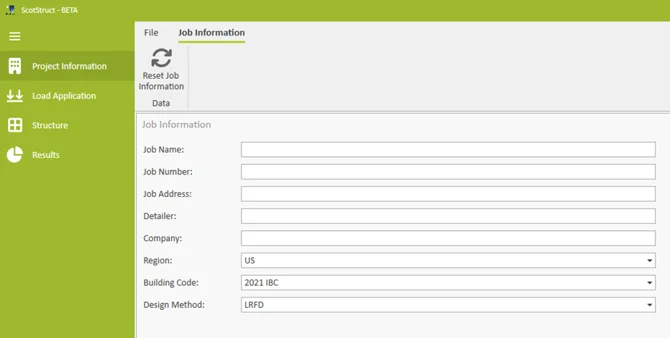
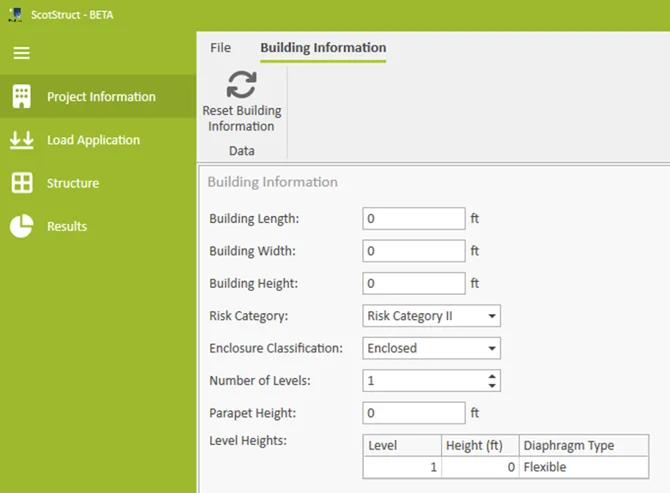
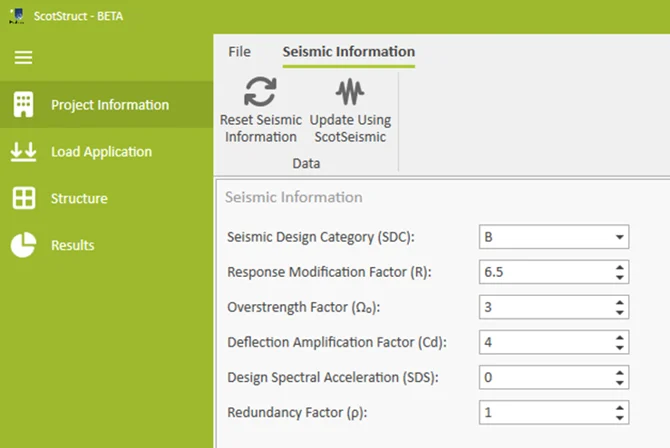
ScotStruct now includes advanced shear wall engineering functionality for U.S.-based regions, supporting lateral, seismic, and shear wall design for structures engineered in accordance with ASCE 7 and the IBC. The Project Information workflow has been organized into three key sections: Job Information, Building Information, and Seismic Information. Users can define building dimensions, risk category, enclosure classification, story levels, diaphragm types, and seismic parameters specific to the project location. Many seismic inputs can also be automatically prefilled through the ScotSeismic application, helping streamline setup and improve engineering efficiency.

To support the determination of building-level forces and the loads applied to individual shear walls, the Load Application section now includes expanded capabilities for defining lateral loads across the structure. Some loads are automatically calculated from Project Information and base load data, while others can be imported directly from ScotSeismic. Users can also define both strength and serviceability load combinations for shear wall engineering, along with the load combinations used for seismic drift checks at each building level. Structural, shear, and load-bearing elements are now grouped under a dedicated “Structure” section, while Bearing Wall Results and Openings Results have been consolidated into a unified “Results” area.
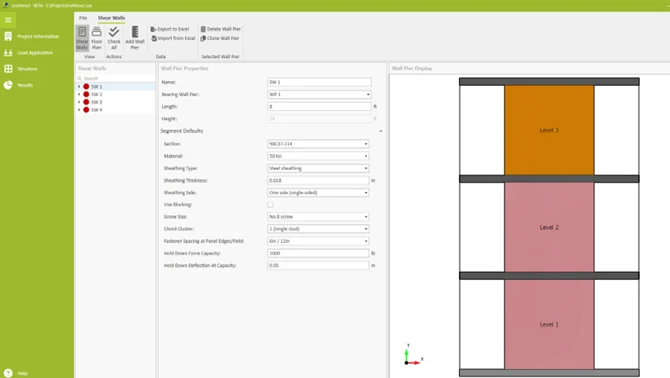
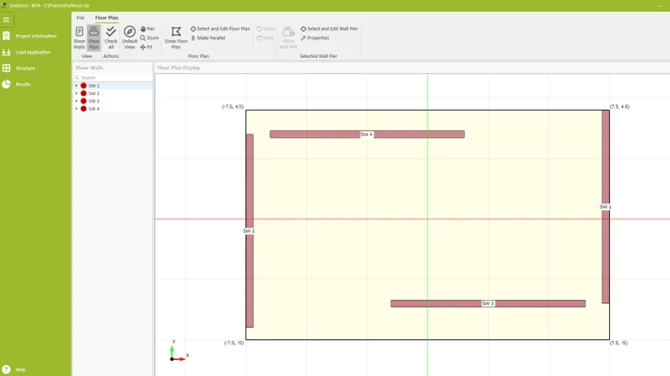
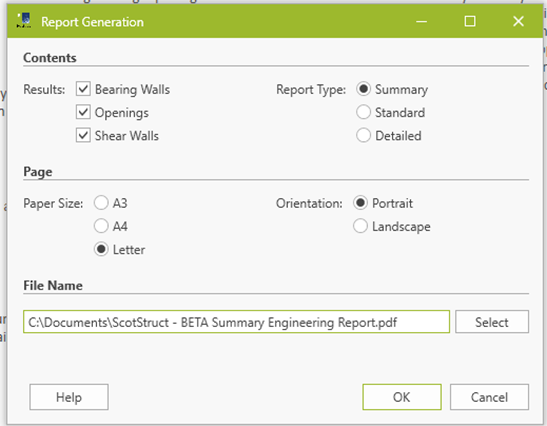
The primary enhancement in this release is the introduction of Shear Walls within the Structure Details workflow. Similar to Bearing Walls, shear walls are defined as Shear Wall Piers with individual Shear Wall Segments assigned to each building level. Engineers can define, visualize, and review individual piers or segments directly within the new “Shear Walls” view. Complementing this is the new “Floor Plan” view, which allows users to define the building layout and position shear walls within the floor plan to support rigid or flexible diaphragm analysis. As with other ScotStruct functions, structural elements are displayed in grey by default and automatically color-coded using the Critical Stress Index once analyzed. The updated Results section now includes dedicated Shear Wall Results with detailed grid-based outputs for analysis and design checks. Comprehensive engineering reports can also be generated, with flexible options for selecting report content and detail level.
For more information and to watch our video on the added shear wall functionality, visit “Shear Wall Engineering via ScotStruct for USA-Based Buildings”.
Scotpanel 8140 Production Support Expands Roll Forming Technology Capabilities
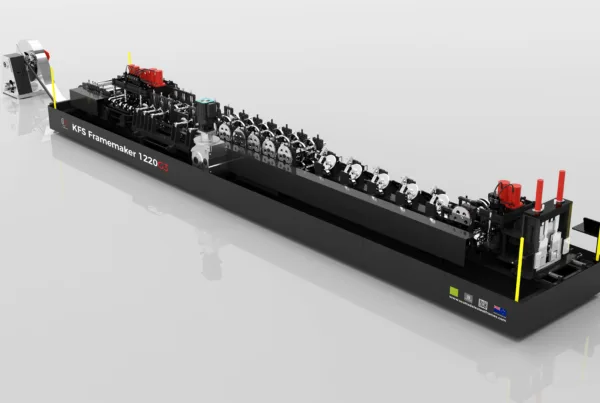
Software support has been added for the Scotpanel 8140 roll forming machine, including both G2 and G3 versions within the Scottsdale roll forming machine product range. The Scotpanel 8140 introduces Scottsdale’s new “Sigma” section profile, designed with additional stiffening elements to support more demanding load-bearing wall applications. To support this new profile and machine platform, ScotRF panel software has been updated with compatibility for the Scotpanel 8140 as well as the broader category of Dual Head Panel “HD” machines engineered for thicker steel gauges.
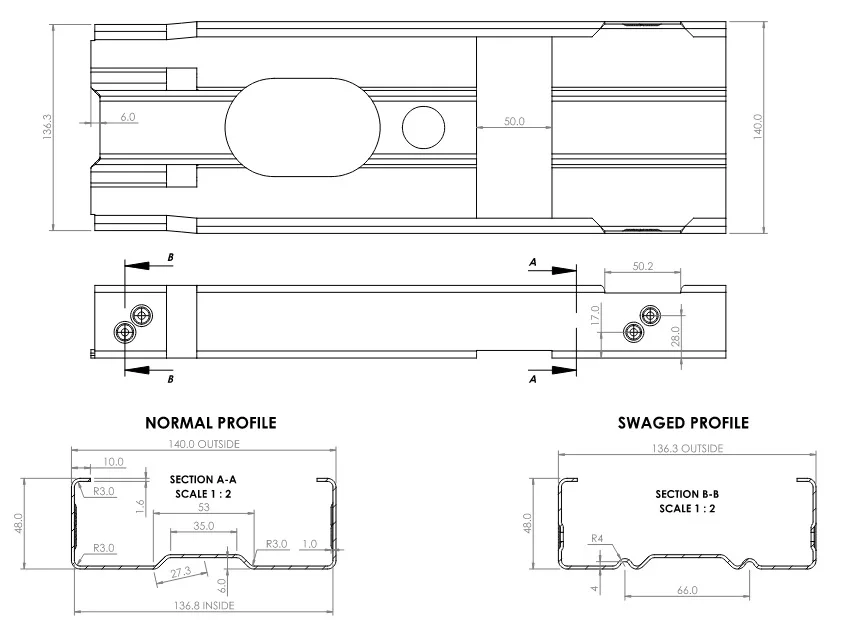
ScotRF Panel Rollformer Settings have also been expanded to support new tooling capabilities available on the Scotpanel 8140, including inner and outer flange holes and corner cut functionality. In addition, ScotSteel and ScotSim have been updated to accommodate settings associated with current and future Dual Head Panel (HD) machines. ScotSteel now also includes support for the new profile, making it available for project design and modeling workflows.
To learn more, visit our KnowledgeBase article “Scotpanel 8140 Production Support”.
Improved User Commands and Hot Keys Increase Steel Framing Workflow Efficiency
ScotSteel now includes major enhancements to its Commands and Hot Key functionality, giving users greater speed, flexibility, and customization across the software environment. By popular demand, command support has been expanded to cover all toolbar buttons across every designer view, including Roof and Floor Truss actions for the first time. Every toolbar tool now includes an assigned default shortcut key, allowing users to quickly activate commonly used functions directly from the keyboard and streamline daily design workflows.
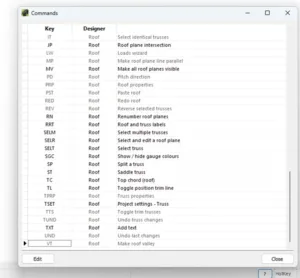
In addition to expanded command coverage, ScotSteel now allows users to fully customize hot key combinations. Through the updated “Commands” window and its new “Edit Mode,” users can view all commands across all designers within a single grid interface and modify shortcut combinations to better align with personal preferences or other CAD software platforms they commonly use. The grid includes filtering capabilities for quickly locating commands, while built-in validation checks ensure key combinations remain functional and conflict-free before saving. These enhancements improve workflow efficiency while providing a flexible and user-friendly design experience.
Review our KnowledgeBase article and video to find out more, at “Improved Commands and Hot Keys”.
Unified Steel Item Naming Improves Coordination Across CFS Design Software Suite
Introducing a highly requested improvement focused on creating consistent steel item naming and numbering across the entire Scottsdale software ecosystem, including both design and roll forming applications. In previous versions, steel item references could differ depending on where they were viewed. For example, a steel item identified as “PB1” within ScotSteel shop drawings could appear as “PB0” within ScotRF or other exports such as IFC files. This created confusion when moving between design, detailing, and production workflows.
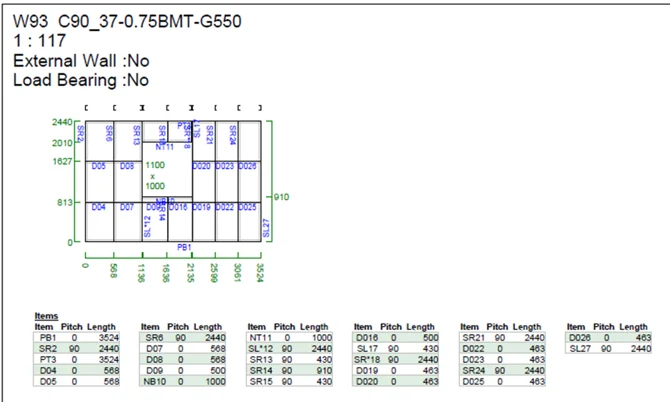
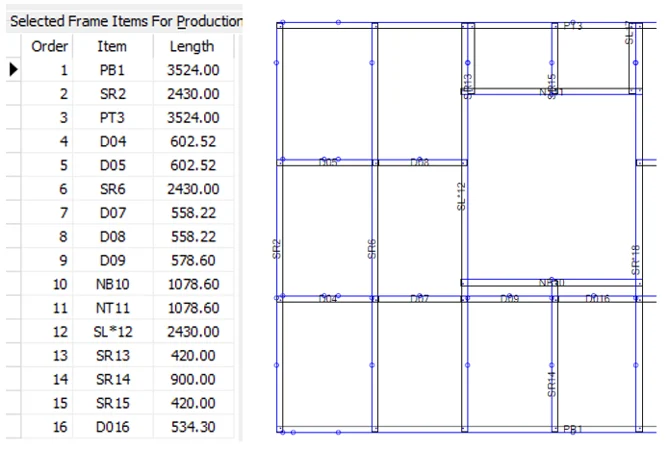
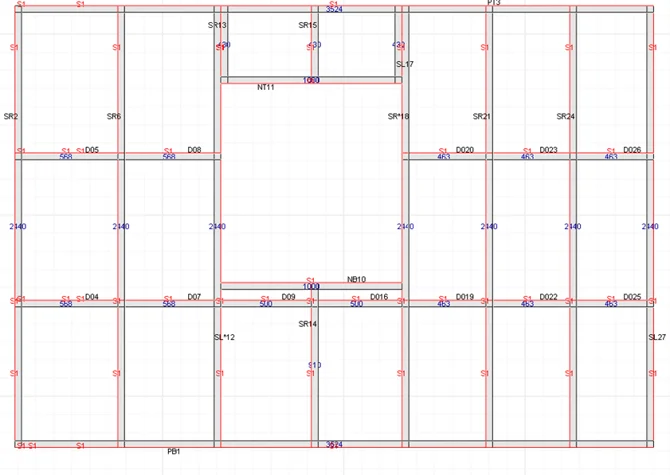
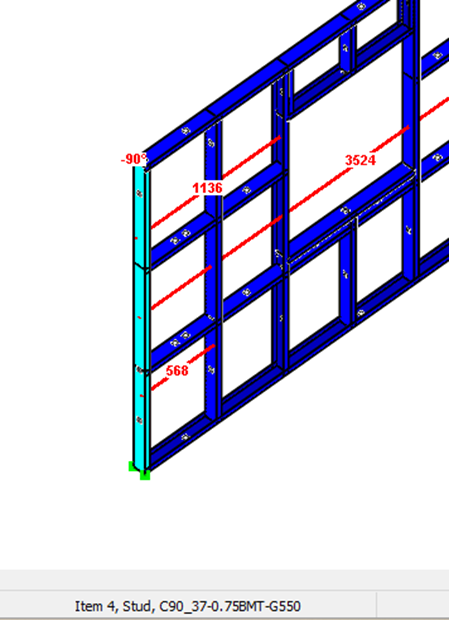
With this software update, steel item naming has now been standardized across all Scottsdale applications so that the same item name appears consistently throughout design, export, and manufacturing environments. The naming convention uses the first two characters to describe the steel item type and orientation — such as PB for Plate Bottom, SR for Stud Facing Right, or D0 for Filler/Nog Facing Down — while the trailing number reflects the optimized production sequence generated for manufacturing in ScotRF. ScotRF will continue to display fabrication lengths, while ScotSteel displays design lengths. The only exception is within the ScotSteel Status Bar, where the displayed number represents the item index within the frame data rather than the production order. This distinction helps maintain software performance by avoiding continuous real-time production order recalculations during frame editing and selection operations.
Learn more by reviewing our KnowledgeBase article and video from “Unified Steel Item Naming”.
Enhanced Truss Web Functionality Supports Advanced Steel Framing Layouts
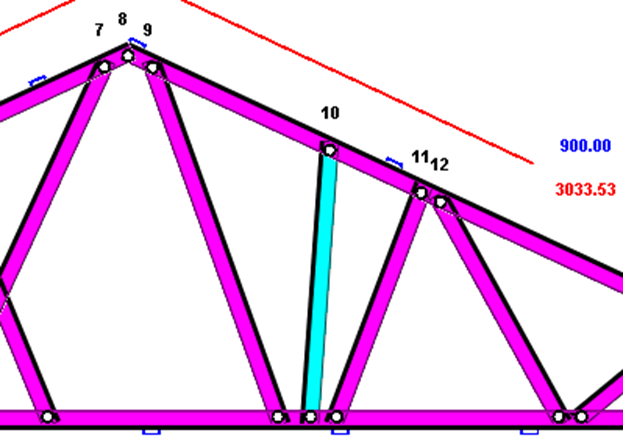
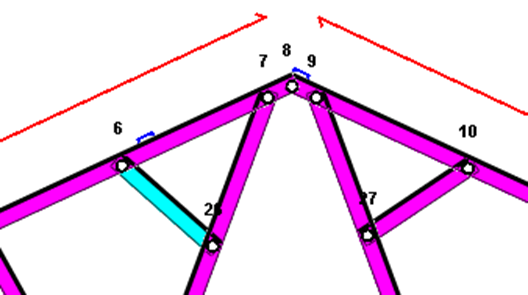
Introducing expanded functionality for adding web steel items within truss designs, providing designers and detailers with greater flexibility when modeling complex truss layouts in ScotSteel. Previous versions already allowed web steel items to be added between top and bottom chords, as well as between individual top-chord or bottom-chord steel items. These capabilities have now been extended to support the placement of new web steel items directly between chord members and existing web steel items.
To support this enhanced workflow, the former “Add a truss item between chords” toolbar function has been renamed to “Insert Web Steel Item,” better reflecting the broader capabilities of the tool. Designers can now select an existing web steel item as the endpoint destination when creating a new web member, allowing for more advanced truss configurations and improved detailing efficiency within the truss design environment.
Review our KnowledgeBase article and video at “Enhanced web item adding in trusses”.
Flexible Auto-Update System Simplifies Software Management
Scottsdale’s software suite now includes improved auto-update functionality designed to better manage both simple application patches and larger suite-wide updates. Because many Scottsdale applications share integrated data and functionality, certain feature releases require aligned major versions across multiple applications/modules — such as ScotSteel, ScotRF, ScotSim, ScotStruct, ScotProduction, and ScotSync — to ensure proper compatibility and performance. Previously, updating only a single application without updating the rest of the suite could lead to configuration issues or inconsistencies between connected software components.
To address this, the auto-update system now includes support for identifying updates that require a full software suite installation rather than a standalone executable patch. When this flag is detected, the system will automatically download and launch the full installer instead of simply replacing individual application files. This enhancement allows smaller updates to continue being delivered quickly through lightweight patches, while larger interdependent updates can be deployed through a complete installer workflow. The result is a more reliable, streamlined, and user-friendly update experience across the Scottsdale software ecosystem.
Learn more by reviewing our KnowledgeBase article “Flexible auto-update system”.
Bonus: Vertex BD to ScotSteel – An End-to-End Production Workflow
Our team has developed a detailed step-by-step guide to help customers on how to use Vertex BD to design and import files into ScotSteel environment. The Vertex BD-to-ScotSteel workflow combines thoughtful modeling practices, careful validation, structured environment setup, and accurate export procedures to help streamline the transition from design to production.
Review the guide and watch the accompanying video walkthrough on KnowledgeBase at “Vertex BD to Scottsdale: End-to-End Production Workflow”.
Advancing the Future of CFS Design Software and Steel Framing Fabrication
The March 2026 release demonstrates Scottsdale Construction Systems’ continued investment in delivering advanced yet practical solutions for the cold-formed steel industry. From expanded shear wall engineering and enhanced truss detailing tools to improved production workflows and smarter software management, each update was developed to help our users work faster, engineer more confidently, and manufacture more efficiently. As projects become more demanding and our industry continues to move toward automation and integrated workflows, Scottsdale remains focused on evolving its CFS design software, steel design capabilities, steel framing workflows, and roll forming technology to better support fabricators, engineers, and manufacturers worldwide.
For current customers, more details about the March 2026 release — including videos and technical walkthroughs — are available through the Scottsdale KnowledgeBase under “March 2026 – Major Release Information.” Scottsdale also continues to provide dedicated 24/7 software support to help users maximize the capabilities of the company’s growing CFS design software ecosystem.

Additional Scottsdale Roll Forming Solutions and Resources
- Blog – Powerful Compatible Steel Framing Software in the Scottsdale Ecosystem
- Blog – Scottsdale Ecosystem: World Famous Roll Forming Equipment and Software
- Blog – How to Overcome Wood Framing to CFS Framing Conversion
- Blog – The Ultimate Guide to Self-Certification of Light-Gauge Steel Trusses
- Video – How Scottsdale’s Roll Forming Technology and Software Support Business Growth
- Video – An Overview of Our Software Development Team by Our VP of Technology
To learn more about Scottsdale’s roll forming solutions and steel framing ecosystem, visit us at www.scottsdalesteelframes.com, call us at +1 (888) 406-2080, or email us at rollformers@scottsdalesteelframes.info.